Android TV用APKをダウンロード
ダウンロードボタンでAndroid TV向けEleph TV APKを取得します。リモコンでURLを入力しにくい場合はDownloaderコードガイドを開き、7142948をショートカットとして使ってください。公式ソースは2026年9月12日に確認しました。
Android TV向け Eleph TV APKを導入するこのガイドでは、Google TV、TV Box、Firestick系デバイスを扱います。ブラウザー、Downloaderコード7142948、USBの方法を選び、権限と再生を確認してください。ソースは2026年9月12日に確認しました。

44.6 MB · com.africa.elephtvplus · 2026年9月12日に確認 · バイナリ版は独自解析していません
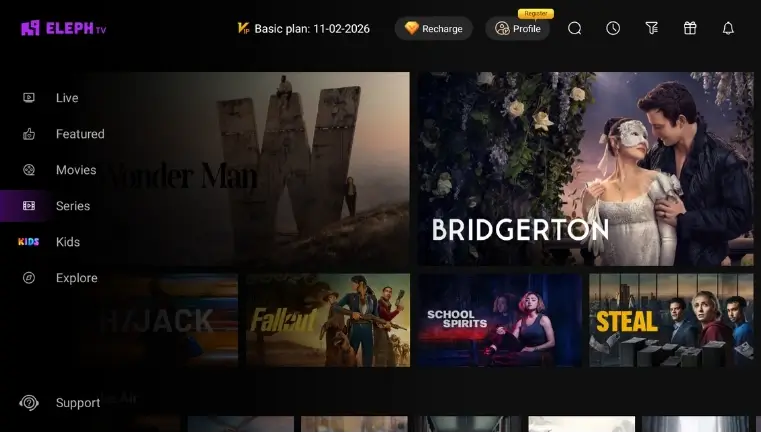
ダウンロードボタンでAndroid TV向けEleph TV APKを取得します。リモコンでURLを入力しにくい場合はDownloaderコードガイドを開き、7142948をショートカットとして使ってください。公式ソースは2026年9月12日に確認しました。
Android TV、Google TV、TV Box、Firestickの設定を開き、ブラウザー、Downloader、ファイル管理アプリのうち信頼できるものだけにAPKのインストールを許可します。
ダウンロードしたAPKを開いてインストールし、アプリ一覧からEleph TVを起動します。まずライブチャンネルか映画を再生し、バッファが出る場合は画質を下げます。
直接APK、Downloaderコード、USB転送の3つの方法を、検索エンジンが読める文章で説明しています。Android TV、Smart TV、TV Box、Firestick向けの導入を探す人に対応します。
Eleph TV APKはAndroid TV、Google TV、TV BoxなどAndroidベースのテレビで動作する場合があります。Roku TV、Samsung Tizen、LG webOS、Hisense VIDAAでは外付けAndroid端末が必要になることがあります。
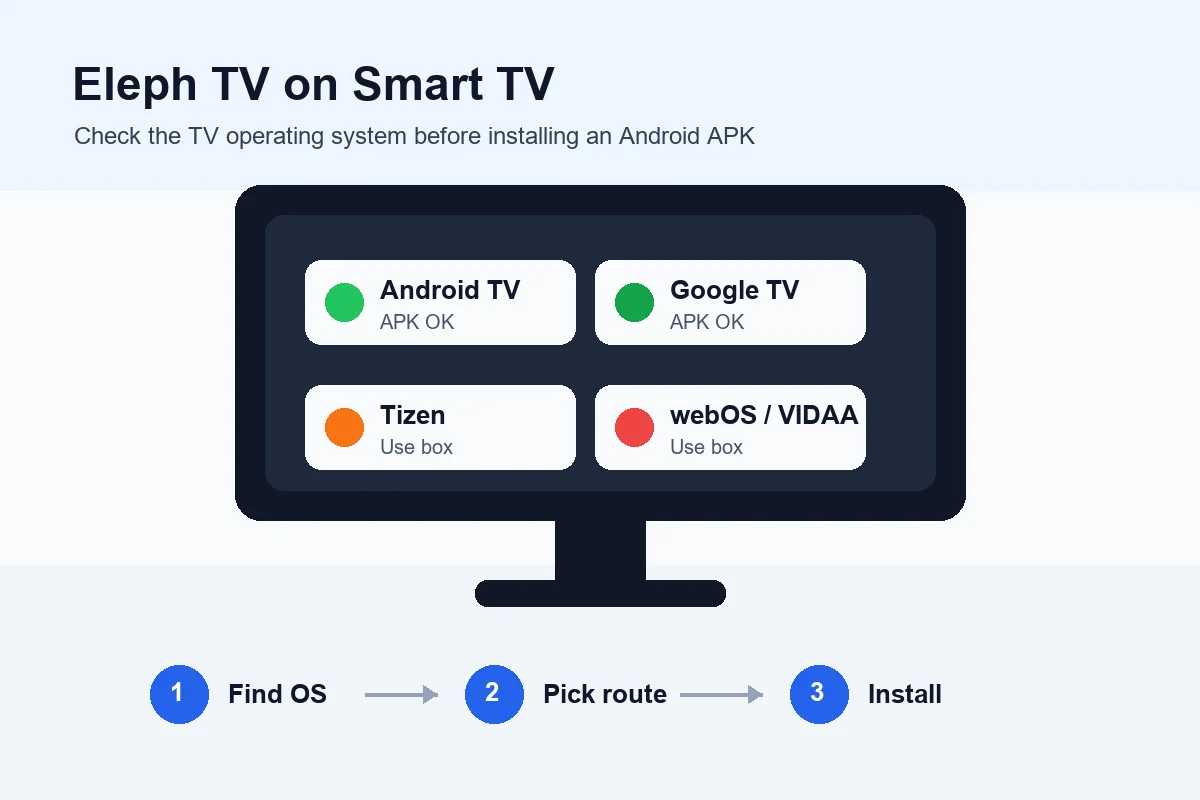
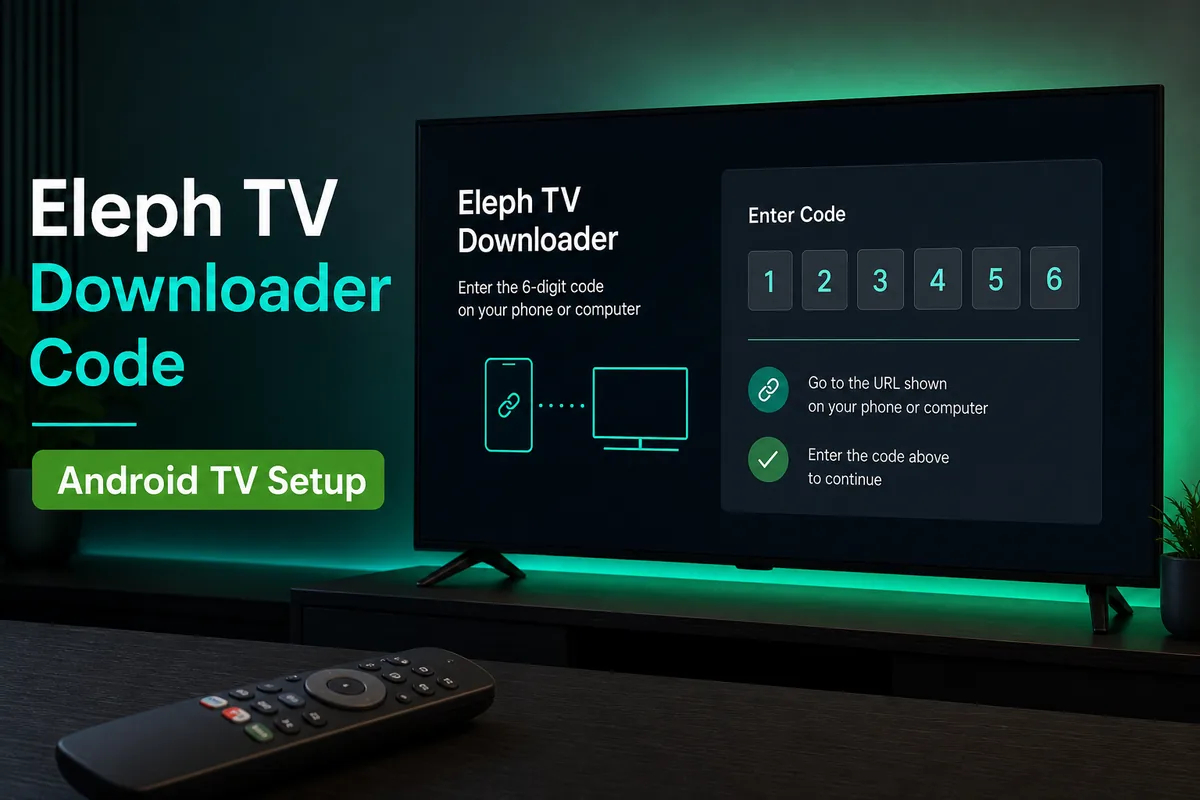
長いURLをリモコンで入力しにくい場合はDownloaderコードガイドを使います。Downloaderが入っているFirestickやTV Boxで便利です。
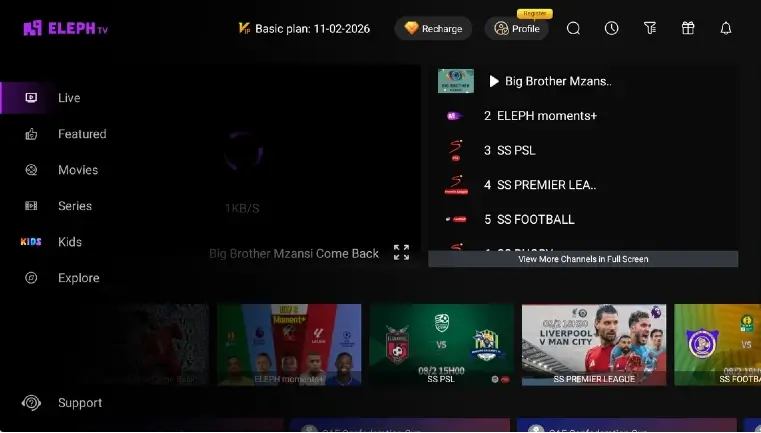
不明なアプリの権限、空き容量、ネットワーク、初回再生を確認し、APKをダウンロードした後に迷わず導入できるようにします。
WindowsノートPCやデスクトップで使う場合は、Android TV用APK手順ではなくPCエミュレーターガイドを利用してください。
Android TV関連の検索ではDownloaderコード、ブラウザー、USBが混在します。リモコンで操作できる端末に合う方法を選びます。
| 端末や状況 | おすすめの方法 | 先に確認すること |
|---|---|---|
| ブラウザー付きAndroid TV / Google TV | テレビのブラウザーでAPKを保存し、ダウンロードから開きます。 | ブラウザーだけに権限を許可し、Android 5.0+を確認します。 |
| Downloader付きFirestick / TV Box | 長いURLが入力しにくい場合はDownloaderとEleph TVコードを使います。 | Downloaderの権限だけを有効にし、非公式modリンクは避けます。 |
| ブラウザーが弱いTV Box | APKをUSBにコピーし、ファイル管理アプリで開いて導入します。 | USBの読み込みと空き容量を確認します。 |
| Samsung、LG、VIDAAのSmart TV | テレビ本体ではなく、HDMI接続のAndroid TV Stick / TV Boxに入れます。 | Tizen、webOS、VIDAAはAPKを直接実行できません。 |
| 導入後に再生が止まる | APKは標準版のまま、ネットワーク、画質、Ethernetを調整します。 | バッファは主に通信の問題で、crack APKを使う理由にはなりません。 |
| Downloaderコード7142948 | Firestick、Android TV Box、Downloader対応Google TV | リモコンで長いAPK URLを入力しにくい場合に便利です。短縮コード欄が使える場合はコードガイドを利用します。 |
AndroidベースのTVでは3つの方法を使えます。標準APKを使い、信頼するアプリだけに権限を与える方法が安全です。
長いURL入力を減らせますが、Downloaderへのインストール権限が必要です。
ブラウザーがAPKを正しく保存できる場合に向きます。導入後は不要な権限を解除します。
ブラウザーが失敗するときに便利です。ファイル名を分かりやすくし、信頼できるファイル管理アプリで開きます。
導入トラブルを解決するためにcrack、mod、プレミアム解除APKへ切り替えないでください。リスクが増えるだけで互換性は改善しません。
Android TVか、空き容量があるか、Downloaderまたはブラウザーの権限、初回再生に必要な安定した通信を確認します。
2026年9月12日に確認した製品ページには、Android TV、TV Box、TV Stick向けのDownloaderコード7142948が引き続き掲載されています。確認可能なAPKのバージョンや容量は公開されていないため、このガイドでは最新版とは表記しません。
TV用APKをダウンロードし、ブラウザー、Downloader、ファイル管理アプリに不明なアプリのインストールを許可します。APKを開いてインストールしてください。直接URLを入力しにくい場合はDownloaderコード7142948も使えます。
Downloaderによるサイドロードに対応するFirestick系端末では動作する可能性があります。まずDownloaderのインストール権限を許可し、直接リンクまたはコードガイドを使います。
いいえ。APKを直接導入できるのはAndroidベースのTVシステムです。Roku TV、Samsung Tizen、LG webOS、Hisense VIDAAでは外付けAndroid TV BoxやFirestickを使います。
現在のガイドで使うDownloaderコードは7142948です。リモコンで長いAPK URLを入力せず、Downloader内の短い経路として使えます。
いいえ。改造版、クラック版、プレミアム解除版はコードを変更し、更新を壊したりデータを露出させたりする可能性があります。標準APKとPlay Protectを使ってください。
Downloaderコードは通常、WebページまたはAPKファイルへのショートカットです。ページが開いた場合はAPKボタン、ファイル名、Androidの通常のインストーラー画面を確認してから導入します。
2026年9月12日に確認した公式ページには、確認可能なバージョン、公開日、APK容量がありません。標準配布元とDownloaderコード7142948を使い、公式リリースノートのない最新表示は信頼しないでください。
端末がAndroid TV、Google TVなどAndroidベースのテレビシステムに対応しているか確認してください。空き容量、Android 5.0以上、ブラウザーまたはDownloaderのインストール許可、初回再生に必要な安定した通信も確認します。Samsung Tizen、LG webOS、Roku TVでは、Android TVボックスまたはFirestickを使ってください。
ブラウザーまたはファイルマネージャーのダウンロードフォルダーを開き、保存が完了しているか確認します。テレビの空き容量と、ファイル名が.apkで終わっていることも確認してください。表示されないときは標準リンクから再度ダウンロードするか、USBでAPKを移します。不明なアプリの許可は使用中のブラウザー、Downloader、ファイルマネージャーだけに与えます。
はい。標準APKをUSBメモリーにコピーするか、信頼できる転送方法を使ってAndroid TVやTV Boxへ移し、ファイルマネージャーで開きます。テレビ側にはAPKのインストール許可と十分な空き容量が必要です。この方法でもSamsung Tizen、LG webOS、Roku TVがAPK対応になるわけではありません。これらでは外付けのAndroid端末を使います。
再インストールする前に、テレビまたはTV Boxの通信、日時設定、空き容量を確認します。他のアプリを閉じてEleph TVを再起動し、可能なら低画質や有線接続でテストしてください。標準APKの保存が完了し、端末がAndroidベースであることも確認します。Samsung Tizen、LG webOS、Roku TVでは、テレビのファームウェアにAPKを無理に入れず、外付けのAndroid TV BoxやFirestickを使います。