Android TV용 APK 다운로드
다운로드 버튼으로 Android TV용 Eleph TV APK를 받으세요. 리모컨으로 URL을 입력하기 어렵다면 Downloader 코드 가이드를 열고 7142948을 바로가기로 사용하세요. 공식 출처는 2026년 9월 12일 확인했습니다.
Android TV용 Eleph TV APK를 설치하는 이 가이드는 Google TV, TV Box 및 Firestick 계열 기기를 다룹니다. 브라우저, Downloader 코드 7142948 또는 USB 방법을 선택한 뒤 권한과 재생을 확인하세요. 출처는 2026년 9월 12일 확인했습니다.

44.6 MB · com.africa.elephtvplus · 2026년 9월 12일 확인 · 바이너리 버전은 독립 분석하지 않음
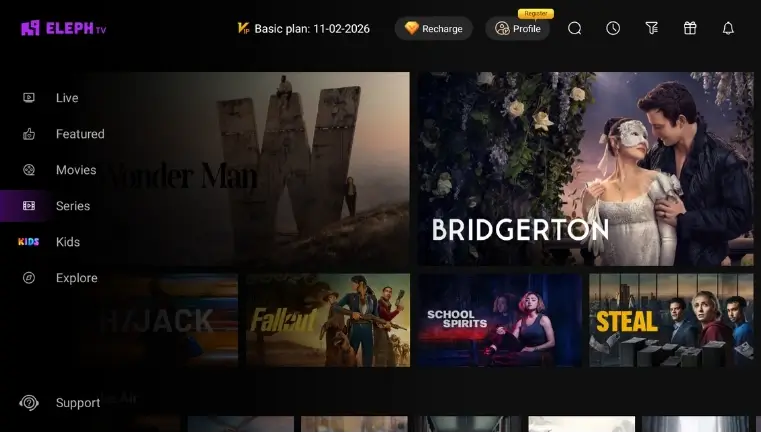
다운로드 버튼으로 Android TV용 Eleph TV APK를 받으세요. 리모컨으로 URL을 입력하기 어렵다면 Downloader 코드 가이드를 열고 7142948을 바로가기로 사용하세요. 공식 출처는 2026년 9월 12일 확인했습니다.
Android TV, Google TV, TV Box 또는 Firestick 설정에서 브라우저, Downloader 또는 신뢰할 수 있는 파일 관리자에만 APK 설치를 허용하세요.
다운로드한 APK를 열고 설치한 다음 앱 목록에서 Eleph TV를 실행하세요. 먼저 라이브 채널이나 영화를 재생하고 버퍼링이 있으면 화질을 낮추세요.
이 페이지는 직접 APK, Downloader 코드, USB 전송 경로를 검색 가능한 텍스트로 설명합니다. Android TV, Smart TV, TV Box, Firestick 설치를 찾는 사용자를 위한 내용입니다.
Eleph TV APK는 Android TV, Google TV, TV Box 같은 Android 기반 TV에서 작동할 수 있습니다. Roku TV, Samsung Tizen, LG webOS, Hisense VIDAA는 외부 Android 기기가 필요할 수 있습니다.
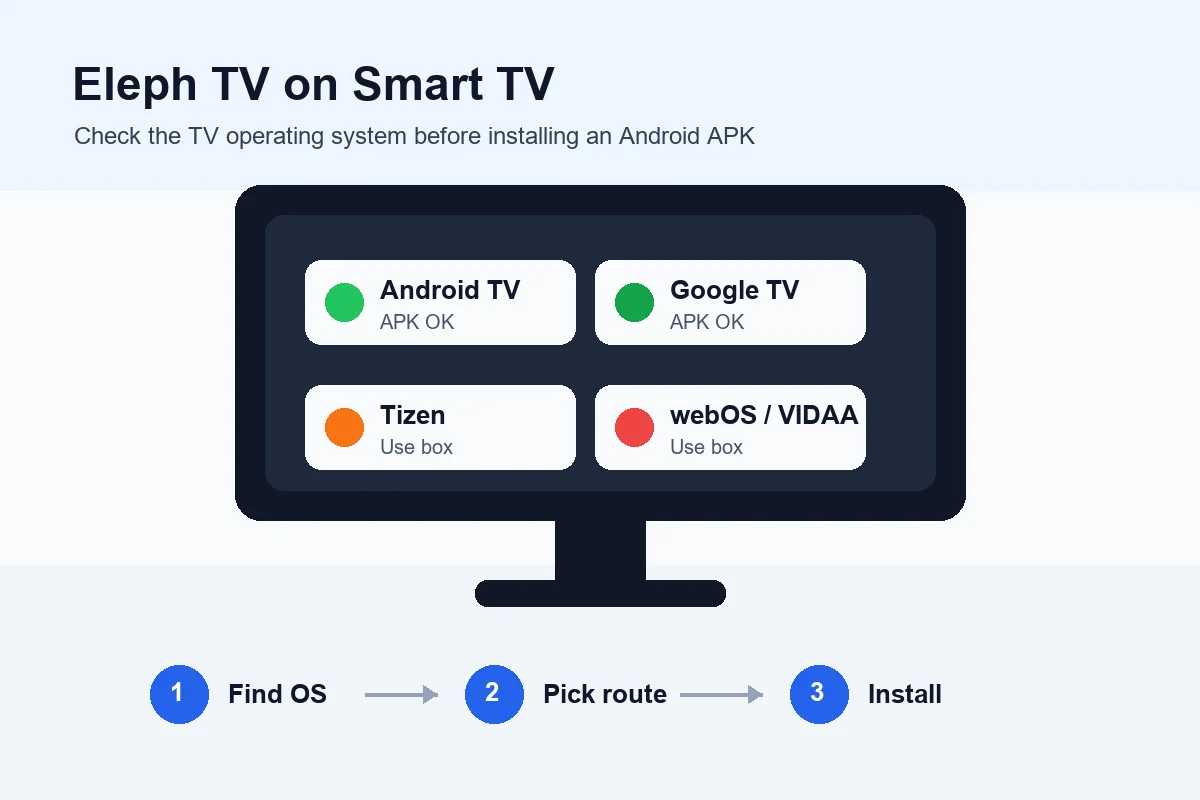
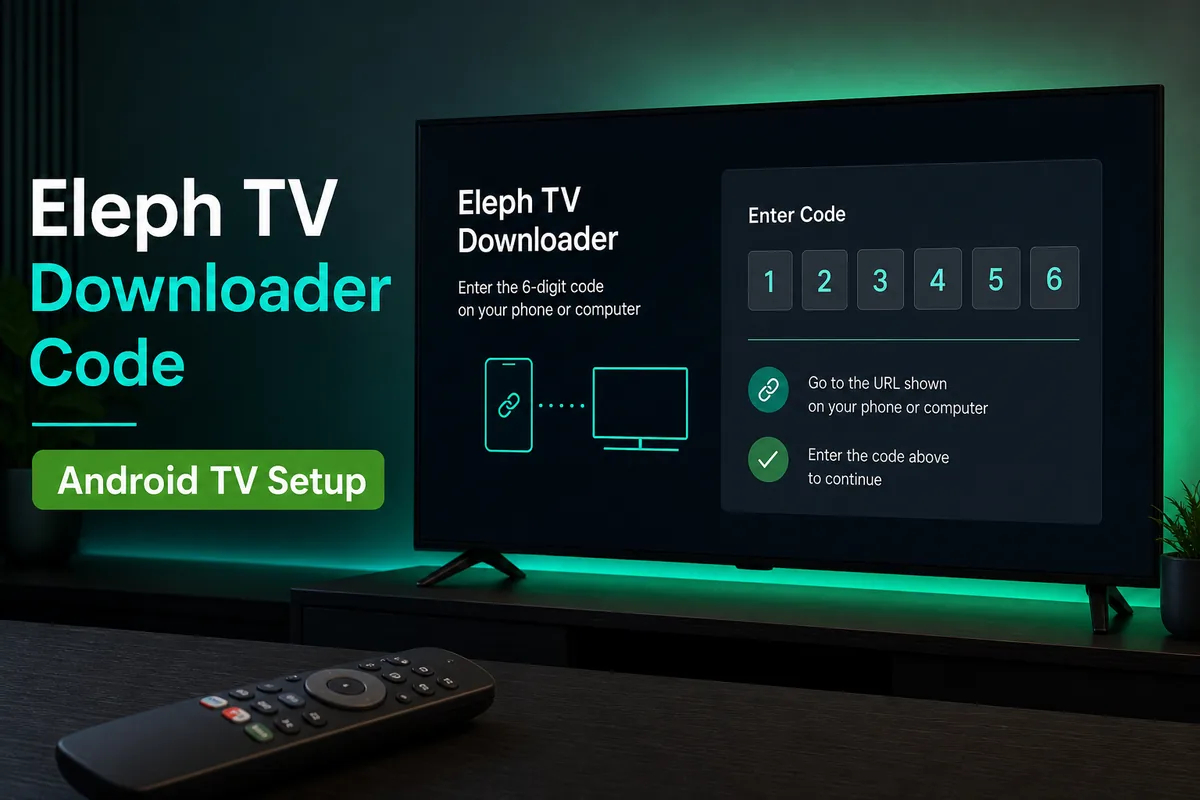
리모컨으로 긴 URL을 입력하기 어렵다면 Eleph TV용 Downloader 코드 가이드를 사용하세요. Downloader가 설치된 Firestick과 TV Box에서 유용합니다.
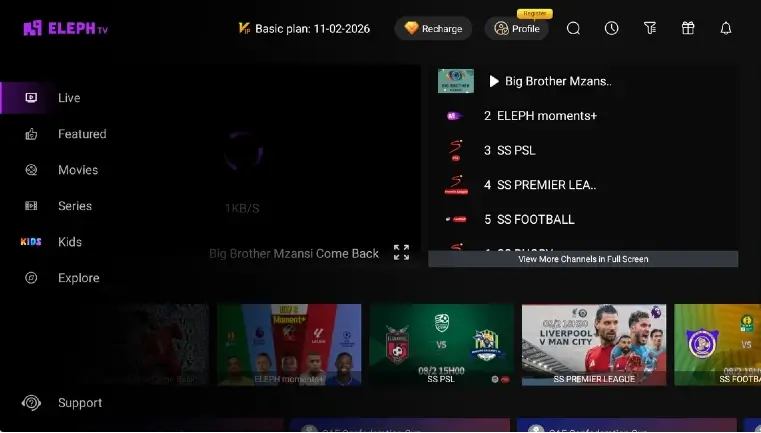
권한, 저장 공간, 네트워크, 첫 재생 테스트를 확인해 APK를 받은 뒤 무엇을 해야 하는지 헤매지 않도록 합니다.
Windows 노트북이나 데스크톱에서 사용하려면 Android TV용 APK 경로가 아니라 PC 에뮬레이터 가이드를 사용하세요.
Android TV 검색에는 Downloader 코드, 브라우저, USB가 함께 등장합니다. 리모컨으로 실제 조작할 기기에 맞는 방법을 고르세요.
| 기기 또는 상황 | 추천 경로 | 먼저 확인할 항목 |
|---|---|---|
| 브라우저가 있는 Android TV 또는 Google TV | TV 브라우저에서 APK를 다운로드하고 다운로드 폴더에서 여세요. | 해당 브라우저에만 설치 권한을 주고 Android 5.0+를 확인하세요. |
| Downloader가 있는 Firestick 또는 TV Box | 긴 URL 입력이 불편하면 Downloader와 Eleph TV 코드를 사용하세요. | Downloader 권한을 켜고 비공식 수정 링크는 피하세요. |
| 브라우저가 제한적인 TV Box | APK를 USB에 복사하고 파일 관리자에서 열어 로컬 설치하세요. | USB 읽기와 여유 저장 공간을 확인하세요. |
| Samsung, LG 또는 VIDAA Smart TV | TV 펌웨어에 설치하지 말고 HDMI로 Android TV Stick이나 TV Box를 연결하세요. | Tizen, webOS, VIDAA에는 APK를 직접 설치할 수 없습니다. |
| 설치 후 재생이 끊김 | 표준 APK를 유지하고 재설치 전에 네트워크, 화질, Ethernet을 조정하세요. | 버퍼링은 보통 네트워크 문제이며 크랙 APK를 쓸 이유가 아닙니다. |
| Downloader 코드 7142948 | Firestick, Android TV Box, Downloader를 지원하는 Google TV | 리모컨으로 긴 APK URL을 입력하기 어려울 때 유용하며 짧은 코드 입력란이 있으면 코드 가이드를 사용하세요. |
Android 기반 TV 기기에서는 세 방법을 사용할 수 있습니다. 표준 APK를 사용하고 신뢰하는 앱에만 설치 권한을 주는 방법이 더 안전합니다.
긴 URL 입력이 느릴 때 사용하세요. 입력 오류를 줄이지만 Downloader 설치 권한은 필요합니다.
브라우저가 APK를 정상 저장할 수 있을 때 적합합니다. 설치 후 불필요한 권한은 해제하세요.
브라우저가 실패할 때 유용합니다. 파일 이름을 알아보기 쉽게 하고 신뢰할 수 있는 파일 관리자로 여세요.
설치 문제를 해결하려고 크랙·수정·프리미엄 잠금 해제 APK로 바꾸지 마세요. 위험만 늘고 TV 호환성은 좋아지지 않습니다.
다운로드 전에 Android 기반 TV인지, 저장 공간이 있는지, Downloader 또는 브라우저 권한이 있는지, 첫 재생에 안정적인 네트워크가 필요한지 확인하세요.
2026년 9월 12일 확인한 제품 페이지에는 Android TV, TV Box, TV Stick용 Downloader 코드 7142948이 계속 표시되어 있습니다. 확인 가능한 APK 버전이나 파일 크기는 공개되지 않으므로 이 가이드에서는 최신 버전이라고 표시하지 않습니다.
TV용 APK를 다운로드하고 브라우저, Downloader 또는 파일 관리자에 알 수 없는 앱 설치를 허용하세요. APK를 열고 설치하면 됩니다. 직접 링크 입력이 어렵다면 Downloader 코드 7142948을 사용하세요.
Downloader를 통한 사이드로드를 지원하는 Firestick 계열 기기에서는 작동할 수 있습니다. 먼저 Downloader 설치 권한을 허용한 뒤 직접 링크나 코드 가이드를 사용하세요.
아니요. APK를 직접 설치할 수 있는 것은 Android 기반 TV 시스템입니다. Roku TV, Samsung Tizen, LG webOS, Hisense VIDAA에서는 외부 Android TV Box나 Firestick을 사용하세요.
현재 가이드의 Downloader 코드는 7142948입니다. 리모컨으로 긴 APK URL을 입력하지 않고 Downloader 안에서 짧은 경로로 사용할 수 있습니다.
아니요. 수정·크랙·프리미엄 잠금 해제 APK는 코드를 바꾸거나 업데이트를 막고 데이터를 노출할 수 있습니다. 표준 출처와 Play Protect를 사용하세요.
Downloader 코드는 보통 웹페이지나 APK 파일로 연결됩니다. 페이지가 열리면 APK 버튼과 파일 이름을 확인하고 Android의 일반 설치 화면이 표시될 때만 설치하세요.
2026년 9월 12일 확인한 공식 제품 페이지에는 Downloader 코드 7142948이 있지만 확인 가능한 버전, 출시일, APK 크기는 없습니다. 공식 릴리스 노트가 없는 제3자 최신 표시는 그대로 믿지 마세요.
기기가 Android TV, Google TV 또는 다른 Android 기반 TV 시스템을 사용하는지 먼저 확인하세요. 여유 저장 공간, Android 5.0 이상 지원, 브라우저나 Downloader의 설치 권한, 첫 재생을 위한 안정적인 인터넷 연결도 점검해야 합니다. Samsung Tizen, LG webOS, Roku TV에서는 Android TV Box나 Firestick을 사용하세요.
브라우저나 파일 관리자에서 다운로드 폴더를 열어 파일 저장이 끝났는지 확인하세요. TV의 여유 공간과 파일 이름이 .apk로 끝나는지도 점검합니다. 파일이 없으면 표준 링크로 다시 다운로드하거나 USB로 APK를 옮기세요. 알 수 없는 앱 설치 권한은 실제로 사용하는 브라우저, Downloader 또는 파일 관리자에만 허용하고 모든 앱에 허용하지 마세요.
가능합니다. 표준 APK를 USB 드라이브에 복사하거나 신뢰할 수 있는 전송 방법을 사용해 Android TV 또는 TV Box로 옮긴 뒤 파일 관리자에서 여세요. TV에는 APK 설치 권한과 충분한 저장 공간이 필요합니다. 이 방법으로 Samsung Tizen, LG webOS, Roku TV가 APK를 지원하게 되는 것은 아니며, 해당 시스템에서는 외부 Android 기기를 사용해야 합니다.
앱을 다시 설치하기 전에 TV 또는 TV Box의 인터넷 연결, 날짜와 시간 설정, 여유 저장 공간을 확인하세요. 다른 앱을 닫고 Eleph TV를 다시 시작한 뒤 가능하면 낮은 화질이나 유선 연결로 테스트합니다. 표준 APK가 완전히 다운로드되었고 기기가 Android 기반인지도 확인하세요. 브라우저나 Downloader의 알 수 없는 앱 설치 권한은 설치 후 필요하지 않으면 해제합니다. Samsung Tizen, LG webOS, Roku TV라면 APK를 TV 펌웨어에 억지로 설치하지 말고 외부 Android TV Box나 Firestick을 사용하세요. 리모컨 입력이 불편하면 코드 안내 페이지와 직접 APK 링크를 번갈아 테스트하고, 설치 후에는 앱을 다시 열어 첫 재생과 네트워크 상태를 점검하세요.