1
Identify the TV operating system
Open Settings, About, Device Preferences or System Information. Look for Android TV, Google TV, Fire OS, VIDAA, Tizen or webOS before downloading anything.
아니요. Eleph TV APK는 Android용입니다. TV 설정에 Android TV 또는 Google TV와 Google Play가 보이면 보통 APK 경로를 사용할 수 있습니다. Samsung Tizen, LG webOS, Hisense VIDAA는 Android APK를 직접 실행하지 않으므로 Android TV 박스, Google TV, Fire TV Stick 또는 캐스팅을 사용하세요.
Smart TV EXE, Tizen APK, webOS APK, premium unlocked, mod APK라고 표시된 파일은 피하세요.
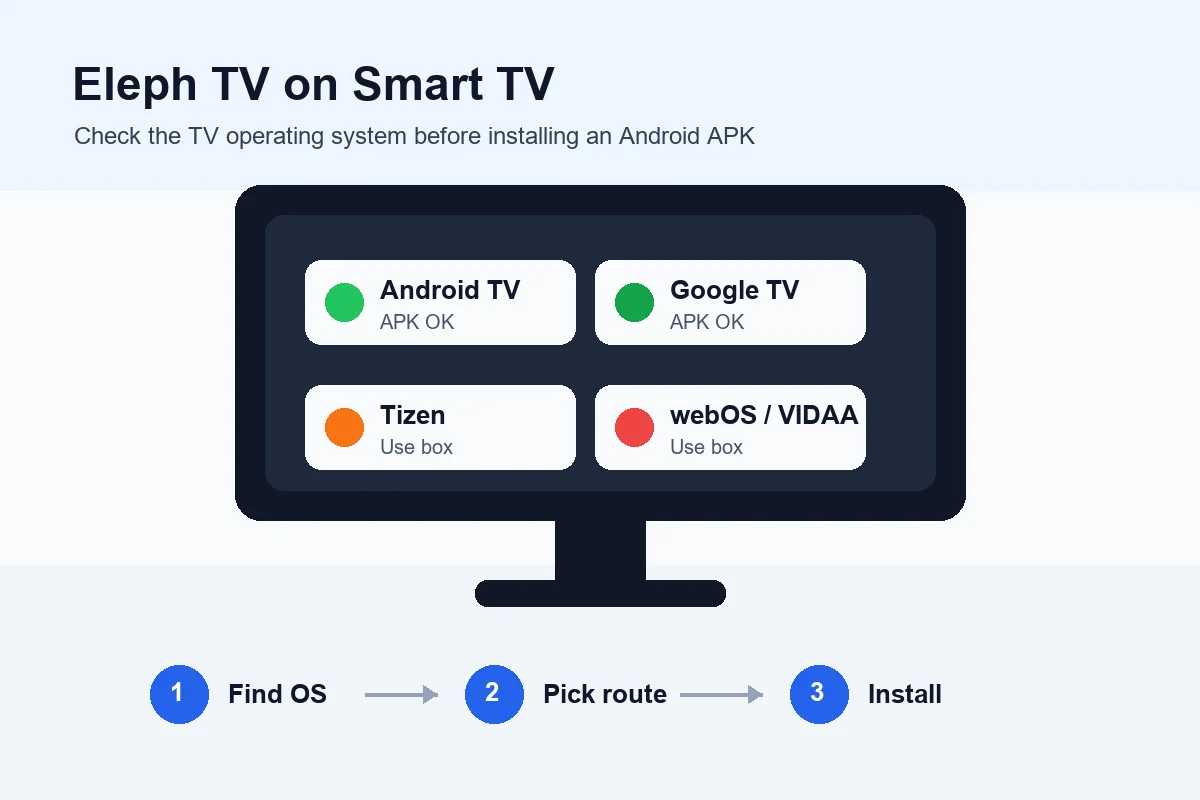
TV가 Android TV 또는 Google TV이고 APK 설치 권한을 허용할 때만 직접 설치할 수 있습니다. Smart TV라는 이름만으로는 충분하지 않습니다.
| TV 또는 기기 | APK 직접 설치 | 권장 방법 |
|---|---|---|
| Android TV | Yes, when unknown-app installs are allowed | Use Downloader, browser download or USB transfer, then open the APK installer. |
| Google TV | Yes, similar to Android TV | Install a file manager or Downloader, allow installs for that app, then install the APK. |
| Hisense Android TV or Google TV | Usually yes | Confirm the OS first, then follow the Android TV steps. |
| Hisense VIDAA | No direct Android APK support | Use an Android TV box, Google TV stick, Fire TV Stick or screen casting. |
| Samsung Smart TV with Tizen | No direct Android APK support | Use a separate Android streaming device connected by HDMI. |
| LG Smart TV with webOS | No direct Android APK support | Use a separate Android streaming device or cast from a phone when available. |
| Fire TV Stick | Yes, because it supports Android-based sideloading | Use Downloader and enable install permissions for Downloader. |
| Generic Android TV Box | Usually yes | Use the browser, Downloader or USB method, then test playback and remote controls. |
아니요. Eleph TV APK는 Android용입니다. TV 설정에 Android TV 또는 Google TV와 Google Play가 보이면 보통 APK 경로를 사용할 수 있습니다. Samsung Tizen, LG webOS, Hisense VIDAA는 Android APK를 직접 실행하지 않으므로 Android TV 박스, Google TV, Fire TV Stick 또는 캐스팅을 사용하세요.
Open Settings, About, Device Preferences or System Information. Look for Android TV, Google TV, Fire OS, VIDAA, Tizen or webOS before downloading anything.
For Android TV or Google TV, use the Downloader app, a browser download or USB transfer. For non-Android TVs, connect an Android TV box or streaming stick and install on that external device.
In security settings, allow unknown-app installs only for the browser, file manager or Downloader app you are using. Turn the permission off again after installation if your device allows it.
Use the normal Eleph TV APK source. Avoid mod, cracked, premium unlocked or brand-specific APK claims because a Samsung or LG TV cannot become Android by using a renamed file.
Open the APK file, confirm installation, then launch Eleph TV from Apps. Test navigation with the TV remote, a mouse or a Bluetooth controller if the remote focus feels slow.
After opening the app, verify whether registration, VIP trial, package access or a redeem code is needed. Keep installation questions separate from subscription questions.
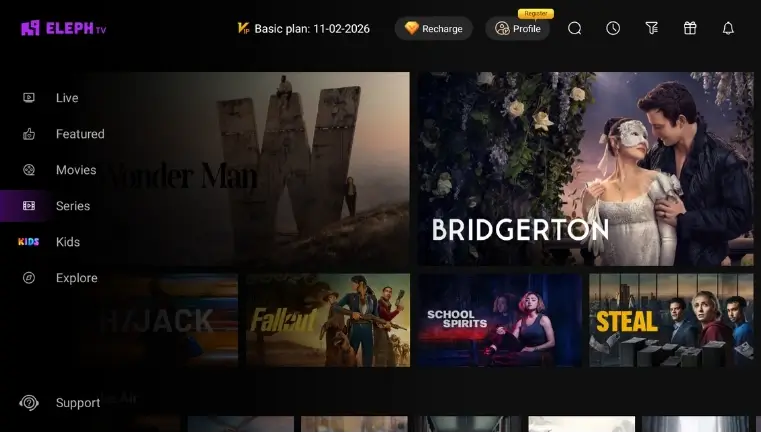
TV가 Android TV 또는 Google TV이고 APK 설치 권한을 허용할 때만 직접 설치할 수 있습니다. Smart TV라는 이름만으로는 충분하지 않습니다.
This is the cleanest method when your TV supports Android apps. Use Downloader or USB, install the APK, then keep the app updated from the same trusted path.
Use this for Samsung, LG or VIDAA TVs. The external device runs the Android app while the television only displays the HDMI signal.
Fire TV can sideload Android-based apps through Downloader. Enable installation permissions carefully and use the standard APK source.
If your TV cannot install the APK and you do not have an Android stick, install Eleph TV on Android mobile and use casting only when the app, TV and network support it.
A USB drive can help when the TV browser is awkward, but it works only on Android-based TV systems that can open APK files.
Avoid files claiming to be Tizen APK, webOS APK, Smart TV crack or premium unlocked build. They do not solve platform compatibility and raise security risk.
Smart TV EXE, Tizen APK, webOS APK, premium unlocked, mod APK라고 표시된 파일은 피하세요.
The TV may be Tizen, webOS or VIDAA rather than Android. Use an Android streaming device instead of searching for another APK.
On Android TV, permission is granted per app. Allow it for Downloader, browser or file manager, not for every app on the device.
Try landscape mode, display scaling, resolution settings or a mouse pointer on the TV box. Some Android apps are easier with a pointer.
Use 5 GHz Wi-Fi or Ethernet when possible. Smart TV Wi-Fi can be weaker than a dedicated Android box placed near the router.
That is an account or plan issue, not an install failure. Use your own account and read the current trial or package status inside the app.
Uninstall only when necessary, reinstall the standard APK, then log in again. Avoid mixing APKs from multiple unofficial sources.
아니요. Eleph TV APK는 Android용입니다. TV 설정에 Android TV 또는 Google TV와 Google Play가 보이면 보통 APK 경로를 사용할 수 있습니다. Samsung Tizen, LG webOS, Hisense VIDAA는 Android APK를 직접 실행하지 않으므로 Android TV 박스, Google TV, Fire TV Stick 또는 캐스팅을 사용하세요.
Smart TV EXE, Tizen APK, webOS APK, premium unlocked, mod APK라고 표시된 파일은 피하세요.
Eleph TV APK 다운로드Not directly if the Samsung TV runs Tizen. Eleph TV is an Android APK, so the practical solution is to use an Android TV box, Google TV stick or Fire TV Stick through HDMI.
LG webOS TVs do not install Android APK files directly. Use an Android-based streaming device or cast from an Android phone when the app and TV support casting.
It depends on the Hisense model. Hisense Android TV or Google TV models can usually follow the APK route, while VIDAA models need an external Android streaming device.
For Eleph TV, the real file is an Android APK. A file promoted as a Samsung, LG, Tizen or webOS APK should be treated with caution because those systems do not run Android APKs.
Use an Android TV box, Google TV device or Fire TV Stick. It keeps the TV firmware unchanged while giving you an Android environment for Eleph TV.
No. Mod, cracked and premium unlocked APK files can be unsafe and do not fix platform compatibility. Use the standard APK on a compatible Android-based device.