1
Instala desde la ruta APK normal
Empieza con el APK estandar de Eleph TV para tu dispositivo. Evita archivos que prometen premium crackeado, VIP completo o canales desbloqueados.
Guia Premium y VIP
Entiende que significa Eleph TV Premium, como diferenciar prueba VIP, planes y codigos, y por que evitar APK premium desbloqueado o modificado. Use this page to keep normal APK download, VIP trial and risky premium unlocked claims separate.
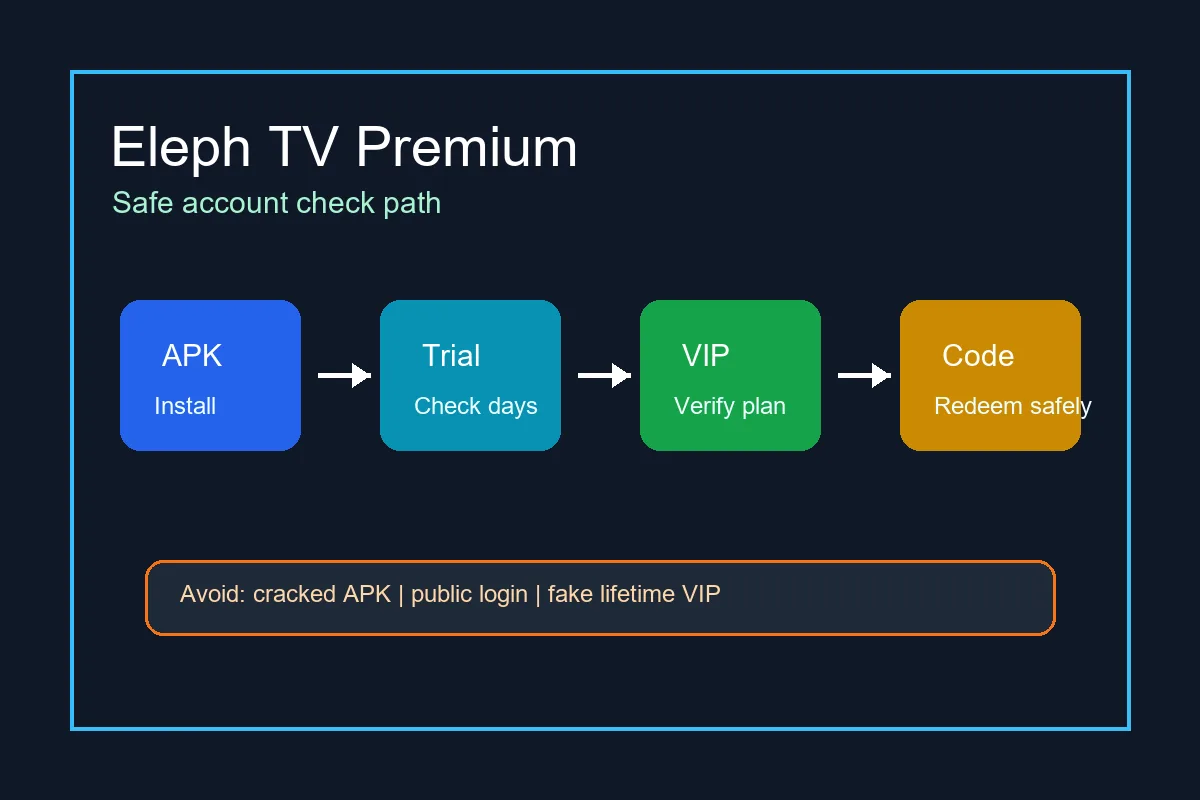
La ruta fiable es instalar normalmente, usar tu propia cuenta y leer el estado VIP o paquete dentro de la app.
Empieza con el APK estandar de Eleph TV para tu dispositivo. Evita archivos que prometen premium crackeado, VIP completo o canales desbloqueados.
Busca Perfil, VIP, Paquete, Recarga, Suscripcion o Canje. Ese texto importa mas que el nombre del archivo descargado.
Si hay prueba activa, anota dias restantes y que indica la app cuando termina.
Downloader ayuda a llegar al enlace APK; un codigo de canje cambia el acceso de la cuenta despues del login.
Conserva ID de cuenta, orden, mensaje del vendedor y captura hasta ver el tiempo premium.
Si el estado cambia, reinstala el APK normal e inicia sesion antes de asumir que el plan desaparecio.
Estos puntos distinguen un flujo VIP normal de una pagina de descarga riesgosa.
Premium time, package name and trial days appear inside your own account after login.
A plan should show duration, account identifier and proof you can keep for support.
The app comes from the normal APK path and still lets you update without replacing it with a random mod.
Pages that promise permanent premium without login or plan details are usually unreliable.
Public usernames and passwords can be revoked, monitored or reused by strangers.
A premium unlocked APK can include broken updates, injected ads, fake login screens or malware.
Asi evitas pagar antes de saber si la app funciona bien en tu dispositivo.
Test the APK on your phone, Android TV, TV box or Firestick-style device before buying longer access.
Check buffering, channel loading and app stability during any free period or trial.
Look for price, duration, region, renewal terms and what the plan includes.
Enter activation codes only inside the app account area and keep them private.
Before paying, know who can help if the plan does not appear in your account.
Prefer a normal APK route so future updates do not break premium status or login.
Premium decisions should happen after you know the app installs and plays on your device. Start with the standard APK route, not a premium unlocked installer.
Avoid cracked premium APKs and public account lists. Verify VIP or package status inside your own account.
Descargar Eleph TV APKThe APK can be free to download, and some builds may show trial or limited access. Long-term premium or VIP access may require a package, plan, recharge or redeem code inside the account area.
Usually premium should be treated as account access, not a separate magic APK. A file name that says premium unlocked does not prove real VIP status.
A VIP trial is temporary or limited. A premium plan or package normally lasts for a stated duration and should be tied to your own account.
You should avoid mod or cracked premium APK files. They can be unsafe, unstable and unrelated to real account access.
Redeem or activation codes are usually entered after login in a Redeem, Package, Recharge or VIP area. Do not enter account codes into unrelated Downloader pages.
The APK download and premium account access are separate. The app can install for free but still require a plan, trial check or redeem code for premium content.