1
Install from the normal APK path
Start with the standard Eleph TV APK for your device. Avoid files that advertise cracked premium, full VIP or unlocked channels before you even open the app.
Guida Premium e VIP
Scopri cosa significa Eleph TV Premium, come funzionano prova VIP, piani e codici, e perche evitare APK premium sbloccati. Use this page to keep normal APK download, VIP trial and risky premium unlocked claims separate.
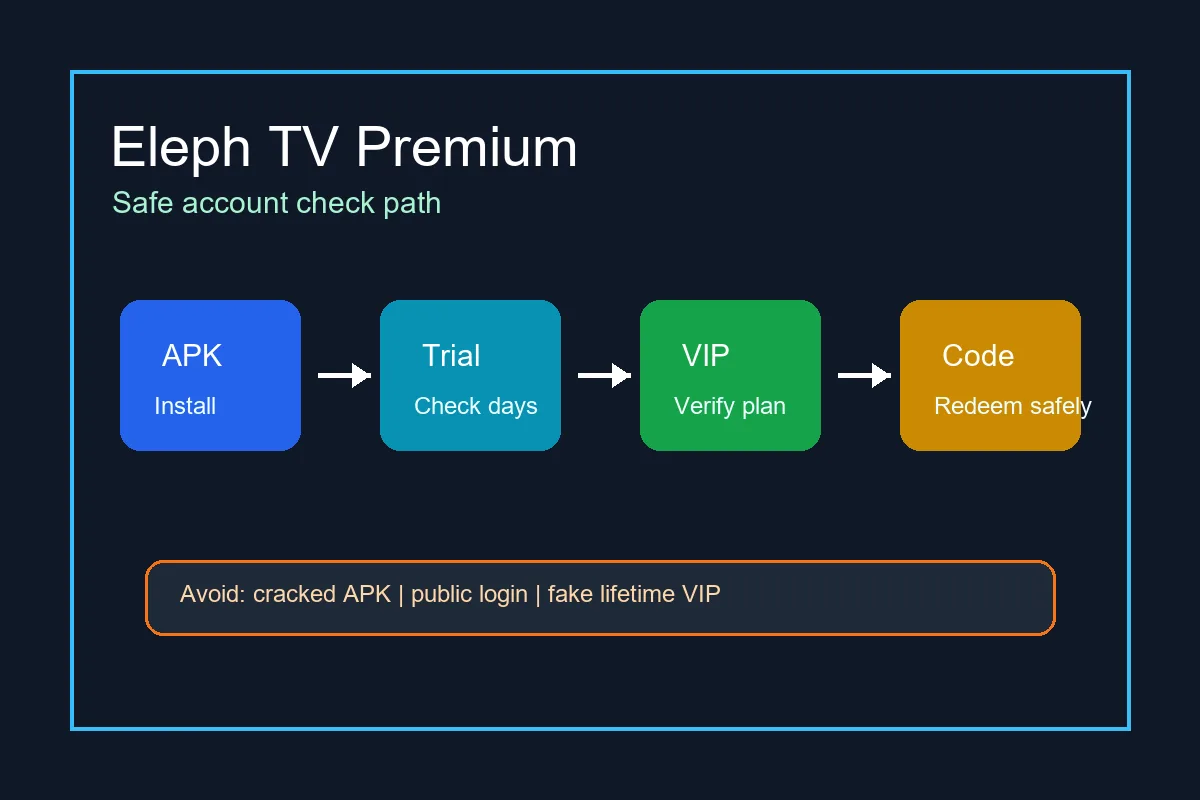
Installa normalmente, usa il tuo account e leggi lo stato VIP o pacchetto dentro l app.
Start with the standard Eleph TV APK for your device. Avoid files that advertise cracked premium, full VIP or unlocked channels before you even open the app.
Look for Profile, Personal Center, VIP, Package, Recharge, Subscription or Redeem. The wording inside that area matters more than the filename you downloaded.
If a trial is active, note the remaining days and whether the app explains what happens after the trial ends.
Downloader codes help TV devices reach an APK link. Redeem or activation codes change account access after login.
If you buy or redeem a package, keep account ID, order proof, reseller message and a screenshot until the premium time appears.
If premium status looks wrong after an update, reinstall the standard APK and log in again before assuming your plan disappeared.
Questi controlli distinguono un flusso VIP normale da una pagina di download rischiosa.
Premium time, package name and trial days appear inside your own account after login.
A plan should show duration, account identifier and proof you can keep for support.
The app comes from the normal APK path and still lets you update without replacing it with a random mod.
Pages that promise permanent premium without login or plan details are usually unreliable.
Public usernames and passwords can be revoked, monitored or reused by strangers.
A premium unlocked APK can include broken updates, injected ads, fake login screens or malware.
Eviti di pagare prima di sapere se l app funziona sul tuo dispositivo.
Test the APK on your phone, Android TV, TV box or Firestick-style device before buying longer access.
Check buffering, channel loading and app stability during any free period or trial.
Look for price, duration, region, renewal terms and what the plan includes.
Enter activation codes only inside the app account area and keep them private.
Before paying, know who can help if the plan does not appear in your account.
Prefer a normal APK route so future updates do not break premium status or login.
Premium decisions should happen after you know the app installs and plays on your device. Start with the standard APK route, not a premium unlocked installer.
Avoid cracked premium APKs and public account lists. Verify VIP or package status inside your own account.
Scarica Eleph TV APKThe APK can be free to download, and some builds may show trial or limited access. Long-term premium or VIP access may require a package, plan, recharge or redeem code inside the account area.
Usually premium should be treated as account access, not a separate magic APK. A file name that says premium unlocked does not prove real VIP status.
A VIP trial is temporary or limited. A premium plan or package normally lasts for a stated duration and should be tied to your own account.
You should avoid mod or cracked premium APK files. They can be unsafe, unstable and unrelated to real account access.
Redeem or activation codes are usually entered after login in a Redeem, Package, Recharge or VIP area. Do not enter account codes into unrelated Downloader pages.
The APK download and premium account access are separate. The app can install for free but still require a plan, trial check or redeem code for premium content.