Name the access level you are actually comparing
Write down whether the offer is free access, a trial, a package or a paid Premium plan. Do not assume that the word basic means the same thing in every reseller message or app build.
Plan comparison guide
If you searched for Eleph TV basic subscription channels vs premium, start with the official plan wording, device limits and account status. A copied channel list is not a stable plan specification.
The phrase Eleph TV basic subscription channels vs premium sounds like a simple channel-count question, but the public information is more nuanced. Eleph TV's official pages describe a free tier and separate plan options, while the visible plan page focuses on connection count, term length and viewing features. It does not publish a permanent, channel-by-channel matrix that can be copied safely into every guide.
For a practical comparison, treat basic as the lower-commitment or free-access path and Premium as paid account access or a package shown in the current account flow. The real decision is whether you need more simultaneous devices, a stated viewing experience, replay access or a longer package term. Check the wording shown at the moment you subscribe, because plans, regions and app builds can change.
That distinction also protects you from confusing three different things: downloading the APK, starting a trial and activating Premium. The installer puts the app on the device. Your account or package determines access. A file name that says premium unlocked does not prove that the account has genuine Premium status.
The public pages can change. Use this guide to compare the decision points, not to treat a third-party channel list or an old price screenshot as a permanent promise.
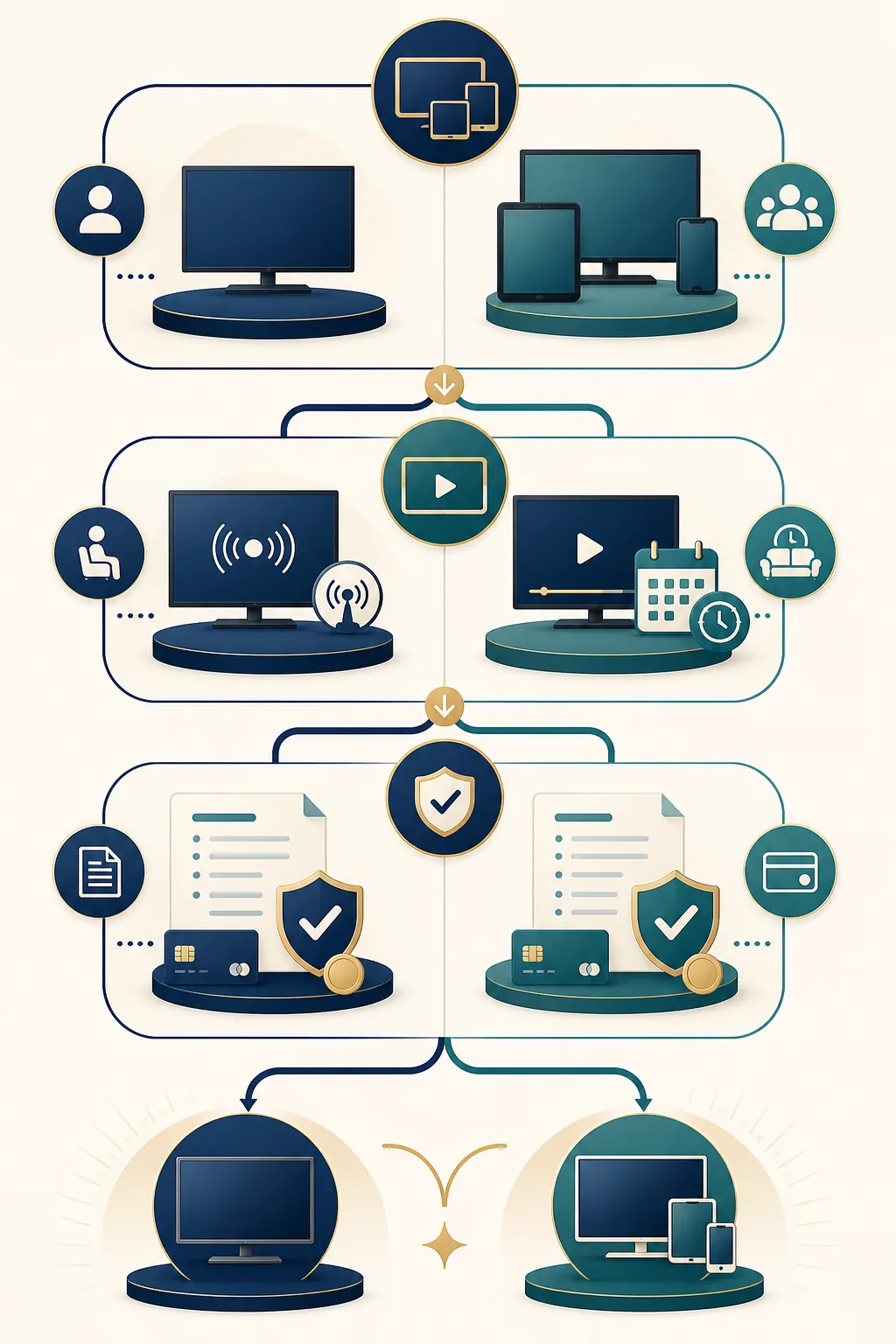
Use this table as a decision framework. The official sources support the plan and device observations below; they do not support a fixed channel-by-channel promise for every region or build.
| Decision point | Basic or lower-commitment access | Premium or paid plan | What to verify |
|---|---|---|---|
| How the label works | A reader-friendly label for free, limited or lower-commitment access. The exact label can vary in the app. | An account, package or plan state shown after login or activation. | Read the package name inside your own account. |
| Channel availability | A public free-tier page may describe broad access, but the live list can change. | Premium may change access or viewing conditions, but the official plan page is not a permanent channel matrix. | Do not rely on copied channel lists; check the current app and official wording. |
| Connection count | Usually chosen when one household device is enough. | The official plan page shows plan options for 1, 2 or 4 connections. | Pick the number of simultaneous devices you actually need. |
| Viewing features | The lower-cost path may be enough for casual viewing or a trial. | The official plan wording references ad-free viewing, HD/FULL HD, live content and replay features. | Confirm which features appear for your account and region. |
| Term and payment | Free access or trial language may have no paid term, or may end after a stated trial. | The public plan page shows monthly, half-year and yearly term choices. | Confirm duration, renewal wording and total price before paying. |
| What the APK proves | The standard APK only installs the app. | A Premium label should be tied to your account or package, not a modified filename. | Separate APK identity from subscription status. |
Follow these checks before you buy a longer term or enter a code. They keep the public plan page, your account and the APK download in separate roles.
Write down whether the offer is free access, a trial, a package or a paid Premium plan. Do not assume that the word basic means the same thing in every reseller message or app build.
The official plan page publishes 1, 2 and 4 connection options. Match that to your household rather than paying for a larger tier only because it sounds more complete.
Look for the terms the official page actually uses, such as ad-free viewing, HD/FULL HD, live collection and replay. Treat an old screenshot or copied list as a lead, not proof.
Open Profile, Package, VIP, Subscription, Recharge or Redeem after login. Record the duration and the account identifier before assuming the plan is active.
Keep the official plan page, the visible package wording, order proof and support route. If the price, channels or expiry wording changes, you have a dated record of what you accepted.
The safest comparison uses first-party wording where it exists and clearly marks what is not published.
The official plan page presents connection choices and term options. Use it for current plan wording instead of reusing an old price or channel screenshot.
Open the official plan pageThe official free-tier page describes free access separately from paid plan language. A free APK download should not be described as permanent Premium access.
Read the official free-tier pageA list can change by region, source, build or date. If the official plan page does not publish a stable table, say so instead of inventing a basic-versus-Premium channel count.
Review the current source wordingThe TV APK checked for this site is identified separately from account status. A normal installer, a trial and a Premium package are different checkpoints.
See the app identity guideThis comparison page does not add a new APK direct link. Use the existing, separately checked download pages, then decide on a plan after the standard app runs on your device.
Do not pay because a page promises lifetime VIP, unlimited channels or a premium unlocked APK. Verify the current package, duration and account status first.
Use the TV download and installation path when your main screen is Android TV, Google TV or a compatible TV box.
Open the TV download guideUse the mobile download page for the mobile endpoint and its current verification notes rather than copying TV APK facts.
Open the mobile download guideRead the existing Premium guide for VIP, trial, redeem and mod-APK risk boundaries before entering a package code.
Read the Premium guideUse the free-subscription guide when your question is about free access, trial days or the difference between a free APK and paid account access.
Read the free subscription guideBasic is a reader-friendly label for free, limited or lower-commitment access. Premium usually refers to a package or account state with a stated term, connection option or viewing feature. The exact difference should be checked in the current official plan wording and your own account.
Do not assume a fixed channel increase unless the current official source explicitly says so. Public channel lists can change by region, build and date, so compare the package wording shown at the time you subscribe.
The official plan page currently displays options for 1, 2 or 4 connections. Treat those as published plan options on the checked page, and confirm which option appears for your account and region before payment.
No. The APK installs the application. Free access, a trial and Premium are account or package states that can be shown after launch. A free download does not prove permanent Premium access.
No. A modified filename cannot prove real account access and may introduce unstable updates, fake login screens or other risks. Start with the standard APK path and check your own account status instead.
Use the official Eleph TV plan page and free-tier page linked in this guide. Also read the package, duration and renewal wording shown inside your account before you pay or redeem a code.