Account setup guide

Eleph TV Online Registration: Sign Up, Login and Account Guide

Use this guide when Eleph TV asks you to register, log in, verify a phone or email, subscribe, or redeem an activation code. It keeps account setup separate from APK download steps so you can fix sign-up problems without changing your install method.

What Eleph TV Online Registration Means

Searchers looking for Elephtv online registration usually want one of three things: a new account, a way to log in again, or help with the verification code before buying or redeeming a package. The registration flow is not the same as downloading the APK. First install the correct Eleph TV app for your device, then open the app and finish account setup from Profile or Personal Center. If you are using Android TV, it is often easier to register on a phone first, then use the same account on the TV screen.

Where to start
Profile or Register
Verification
Email or phone code
After signup
Subscribe or redeem
Safety rule
No shared logins

Do not use mod APK, premium unlocked APK, cracked builds, or public username/password pages for account access. They can expose your account, break verification, or install unsafe files.

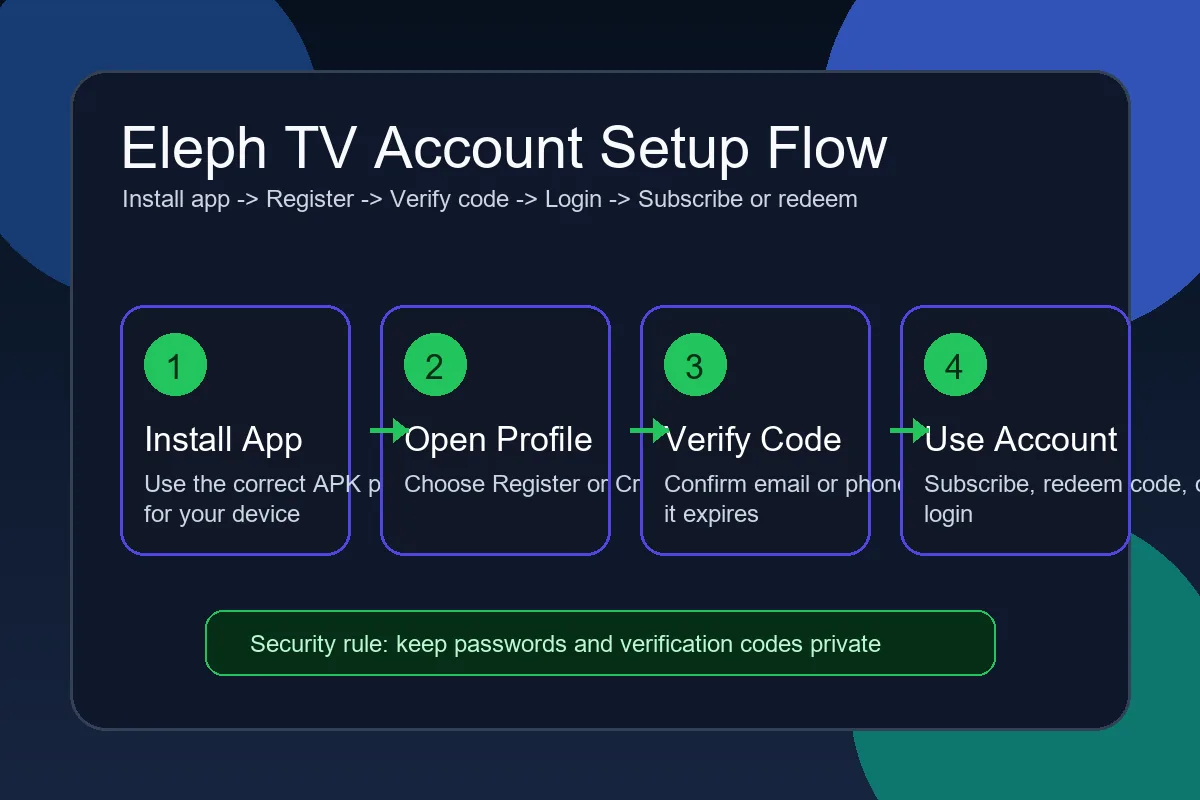
Eleph TV online registration flow from app profile to verification and login
Install the app first, then complete registration, verification and account recovery from inside the Eleph TV account area.

How to Register for Eleph TV Online

The exact labels can change between app versions, but the account path is consistent: open the app, enter Profile, choose Register, verify your contact method, then protect the account before adding a subscription or activation code.

1

Install the correct Eleph TV app for your device

Use the mobile APK guide for Android phones and tablets, the Downloader code guide for Android TV or Firestick, or the PC emulator guide for Windows. Registration is easier after the app opens successfully.

2

Open Profile and choose Register

On the home screen, find Profile, Account, Personal Center, or a similar icon. If you are not signed in, choose Register or Create account instead of trying random login details.

3

Select email or phone registration

Use a contact method you can access immediately. A phone number may be better for users who receive SMS reliably; email may be easier if your TV remote is slow and you want to copy the code from another device.

4

Request and enter the verification code

Tap Get Code, wait for the message, then enter the code exactly as shown. If the code expires, request a fresh one instead of guessing. Check spam folders, SMS filtering and country code formatting.

5

Finish login and test account access

After confirmation, return to Profile and make sure your account name, trial status, plan status, or redeem options are visible. Test sign out and sign back in only after saving your login method.

6

Subscribe or redeem only from trusted paths

If you bought a package or received a 16-digit activation code, use the in-app Redeem or Subscription area. Avoid third-party pages that ask for your password before proving they are official or trusted.

Registration, Login, Subscription and Redeem Options

Eleph TV account screens can use different names depending on app build and region. These are the account actions users most often confuse with each other.

New user registration

Use this when you have never created an Eleph TV account. Register before expecting VIP status, plan history, referral rewards, or redeem code balance to follow you across devices.

Returning user login

Use the same email or phone method you used during signup. If you cannot remember which one you used, search your inbox and SMS history for old verification or payment messages.

Redeem activation code

Activation or reseller codes are usually entered after login in a Redeem Code, Personal Center, or Recharge area. Keep the full 16-digit code private until it is used.

Subscription and package purchase

Plans are normally handled inside the app or through trusted reseller routes. Confirm the plan length, price, account identifier and payment status before closing the payment page.

Referral or bonus account days

Referral rewards may require a valid account before the invite code is counted. Share only invite links or referral codes, not your password or verification messages.

Password or code recovery

If login fails, use the app's recovery flow. Reinstalling the APK rarely fixes an account mismatch unless the current app build is corrupted or very old.

Before You Register: Account Checklist

Use this table to decide what to prepare before starting Eleph TV online registration, especially on a TV device where typing is slower.

Item Recommended choice Why it matters
Contact method Email or phone you can access now The verification code may expire quickly, so do not use an inbox or SIM you cannot reach.
Device Phone first, TV second Registering on mobile can be faster, then you can log in on Android TV with the same account.
APK source Standard Eleph TV APK Modded or cracked APKs can interfere with login, updates, account recovery and payment safety.
Activation code Keep the code private Redeem codes can be single-use. Publicly posting them or sending screenshots can make them unusable.
Network Stable WiFi or mobile data Verification and payment screens fail more often on unstable connections.
Account security Unique password and private code Do not reuse passwords from public IPTV forums or account-sharing pages.

Fixes When Eleph TV Registration or Login Does Not Work

Most account problems are caused by expired codes, wrong contact details, app version mismatch, network filtering, or mixing up install codes with account redeem codes.

Verification code never arrives

Check spam, promotions, SMS blocking, country code format and mobile signal. Wait before requesting another code because repeated requests can trigger rate limits.

Verification code expired

Request a new code and enter it immediately. Do not keep trying an older code because some apps lock verification after too many failed attempts.

Account not found

Try the other contact method you may have used. A phone-based account and an email-based account can be treated as separate accounts.

Redeem code does not work

Check every digit, confirm that you are signed in to the right account, and make sure you are entering a membership activation code rather than a Downloader install code.

TV remote makes registration difficult

Register on an Android phone first, then log in on the TV. You can also connect a Bluetooth keyboard if your Android TV or TV box supports it.

Login page looks suspicious

Stop if a page asks for your password, payment details or verification code outside the expected app flow. Use trusted download and account paths only.

Install Eleph TV Before Registering

Registration normally starts after the app is installed. Choose the correct install guide for your device, then return here if the account screen, verification code, subscription or redeem step is unclear.

Use standard APK sources and avoid mod, cracked, premium unlocked or public account files.

Download Eleph TV APK
Register in app Verify by code No shared passwords

FAQ About Eleph TV Online Registration

Where do I register for Eleph TV?

Registration is usually inside the Eleph TV app. Open Profile or Personal Center, choose Register, select phone or email, request a verification code, then confirm it.

Can I register Eleph TV on a Smart TV?

Yes, if the app is already installed and opens on the TV. However, registering on an Android phone first is often faster because typing email, phone numbers and verification codes with a TV remote can be slow.

Is the Eleph TV Downloader code the same as a redeem code?

No. A Downloader code helps install the APK on TV devices. A redeem or activation code is used after login to add membership time or a package to your account.

Why did my Eleph TV verification code fail?

It may be expired, typed incorrectly, blocked by SMS or email filters, or requested for a different phone or email than the account you are using.

Should I use a public Eleph TV login and password?

No. Public login lists are unreliable and unsafe. They can expose your device, lose access without warning, or violate account rules. Create your own account instead.

Can I recover an Eleph TV account if I lost my phone number?

Use any in-app recovery option first. If the account is tied only to a lost phone number and you cannot receive codes, recovery may require official support or a new account.

Do I need an account to use Eleph TV?

Some app builds may allow limited trial use, while subscriptions, VIP features, referral rewards and redeem codes normally require an account. Follow the current in-app prompts.

What should I do before paying for an Eleph TV package?

Confirm you are signed in to the correct account, check the plan length and price, keep payment proof, and avoid sending passwords or verification codes to a reseller.